In-House vs Remote Legal Assistant: Which Is Better?
Compare in-house vs remote legal assistants for law firms: total cost, tasks you can delegate, supervision, Clio access and when each option makes sense.
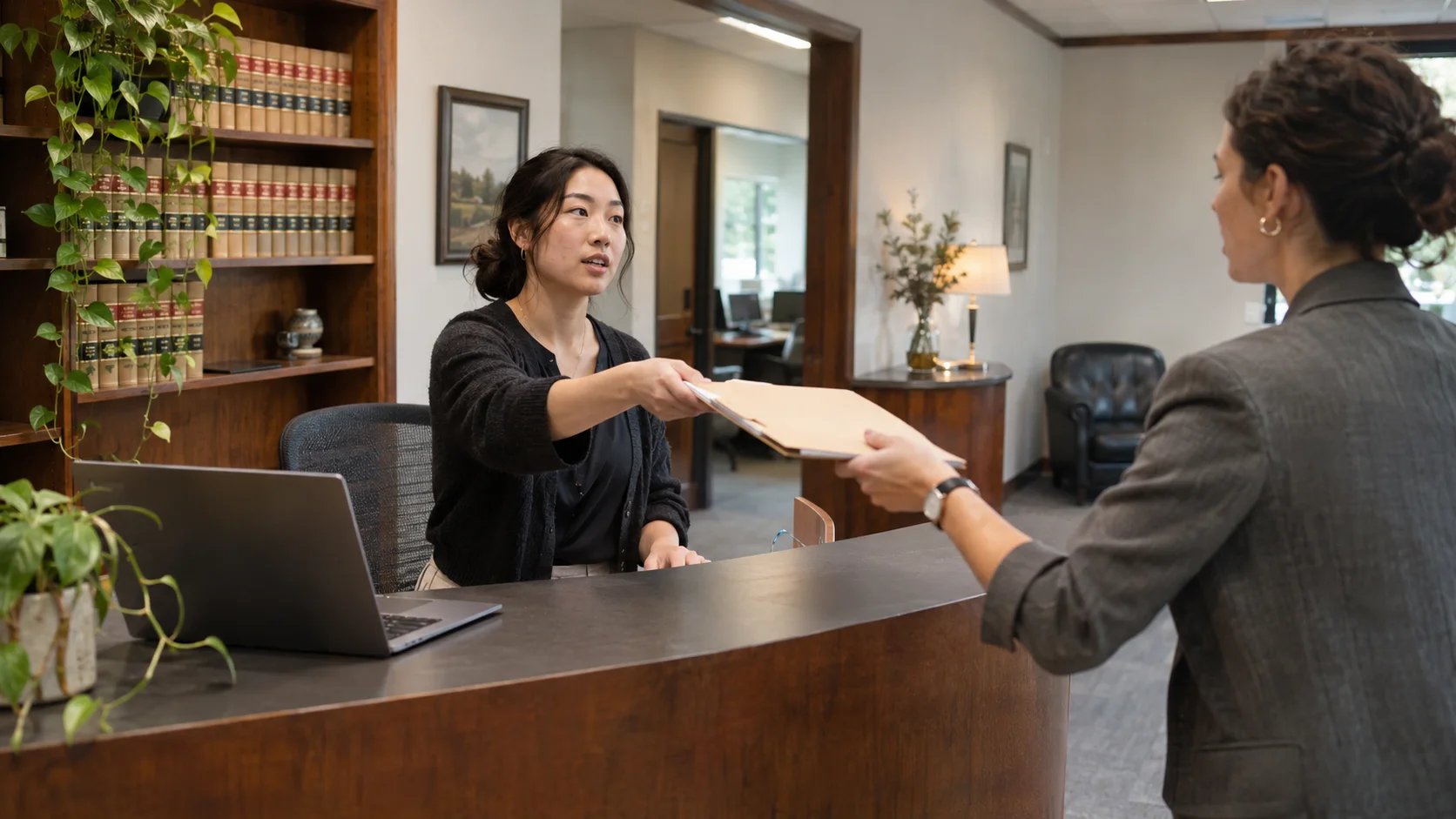
Quick Answer: The in-house vs remote legal assistant decision comes down to how much of the job needs a person in the building. If most of the work is calendars, correspondence, e-filing and case management, a remote legal assistant handles it at a fraction of the cost: about $2,200 a month through HiresLink versus roughly $6,020 for a U.S. legal secretary or administrative assistant with employer costs. Keep an in-house assistant when walk-ins, original documents and courthouse runs fill the day.
Talk through your legal assistant role.
What is the difference between an in-house and a remote legal assistant?
Both do the same core job: keep matters organized, deadlines visible and clients informed. The difference is where the work happens and what that changes.
| Factor | In-house legal assistant | Remote legal assistant |
|---|---|---|
| Location | Your office | Home office, typically in Latin America for nearshore hires |
| Typical monthly cost | About $6,020 with employer costs (U.S. median) | From $2,200 through HiresLink |
| Physical tasks (mail, originals, walk-ins, courier runs) | Yes | No; needs a local owner |
| Digital tasks (calendar, correspondence, e-filing, case management) | Yes | Yes |
| Supervision | In person and ad hoc | Written instructions, queues and set check-ins |
| Hours | Your office hours | Agreed overlap, usually 0–3 hours from U.S. Eastern time |
| Coverage during absence | Another local staff member | Named backup or a replacement from the provider |
A remote assistant changes the supervision style more than the work itself. Firms that already run matters through Clio, MyCase or Filevine adapt fastest.
Which legal assistant tasks can be done remotely?
Start with ten recent working days. Mark each task, the time it took, whether the input and output were digital, and whether someone had to be present. Then separate occasional exceptions from daily obligations.
| Workflow | Remote-ready when | Local coverage matters when |
|---|---|---|
| Calendar and correspondence | Work arrives in a shared system and someone reviews time-sensitive entries | Walk-in clients and deliveries interrupt the same shift |
| Matter setup | The assistant can route possible conflicts and apply named permissions | Staff regularly need original documents at intake |
| Filing and deadlines | The firm uses a verified electronic workflow and reviews deadlines | Paper service or courthouse runs recur |
| Client communication | The firm sets approved channels, handoffs and response windows | Clients regularly need a named in-person contact |
| Logistics | Staff can assemble and track digital materials | Hearing binders, exhibits and delivery timing require on-site work |
Worked example: splitting a 10-day task log
A four-attorney litigation firm logged 80 hours of legal assistant work over ten working days:
| Task | Hours | Remote-ready? |
|---|---|---|
| Calendar and deadline entry | 18 | Yes, with attorney verification |
| Correspondence and client status updates | 16 | Yes |
| Matter setup and conflict routing | 8 | Yes |
| E-filing and service tracking | 6 | Yes, where the court allows electronic filing |
| Document formatting and exhibit indexes | 12 | Yes |
| Front desk, walk-ins and deliveries | 11 | No |
| Scanning, mail and original documents | 5 | No |
| Hearing binders and courier runs | 4 | No |
Sixty-four of the 80 hours (80%) were digital. The firm hired a remote legal assistant for the digital queue and kept a part-time receptionist for the 20 local hours, with a scan-and-route rule linking the two.
Which tasks should a remote legal assistant never own?
Some work should stay with a lawyer or a local owner no matter how good the hire is:
- Accepting or declining a matter, quoting fees or signing engagement letters.
- Deciding a deadline from a court rule; the assistant can enter it, an attorney verifies it.
- Giving legal advice or predicting outcomes to clients, even informally.
- Receiving or storing original documents, wills, deeds or evidence.
- Moving client funds or making trust account entries without dual approval.
Write these limits into the role brief so the shortlist reflects them and the assistant knows where escalation starts.
How much does an in-house vs remote legal assistant cost?
BLS wage data for legal secretaries and administrative assistants show a 2025 U.S. median of $55,570 a year (O*NET, BLS 2025 wages). Adding an illustrative 30% for payroll taxes, benefits and workers' compensation gives about $6,020 a month. Through HiresLink, remote legal assistant salaries start at $1,400 a month, plus the $800 minimum management fee.
| 12-month view | U.S. in-house legal assistant | HiresLink remote legal assistant |
|---|---|---|
| Monthly cost | $6,020.08 | $2,200 |
| 12-month cost | $72,240.96 | $26,400 |
| Office space and equipment | Your cost | Remote; agree who provides the laptop |
| Recruiting cost | Your own search | No upfront fee |
| Replacement if it doesn't work out | New search | Unlimited during active staffing |
On these figures the remote invoice is 63.5% lower before software seats, equipment and supervision. If your role needs paralegal-level drafting instead, use the paralegal benchmarks in our cost to hire a remote paralegal guide.
Count hidden costs on both sides. A remote model that pushes physical work back onto an associate can turn cheap administrative time into expensive attorney time. An in-house model carries desk space, parking or transit benefits and longer vacancies when someone leaves.
Hidden costs of each model
| Hidden cost | In-house legal assistant | Remote legal assistant |
|---|---|---|
| Recruiting and vacancy time | Your search, often weeks of open seat | Shortlist in 5 business days, no upfront fee |
| Office space, parking, equipment | Yes | Equipment only, if you provide a laptop |
| Supervision style | Ad hoc, easy to under-document | Written queues; more setup in month one |
| Physical tasks | Included | Need a local owner or vendor |
| Coverage during leave | Another local employee | Named remote backup |
| Turnover | New search at your cost | Unlimited replacements during active staffing |
The remote column is cheaper mainly when your physical work is small and already has an owner.
How do you supervise a remote legal assistant?
Supervision works when every task has an owner, a channel and a deadline. Give finalists a fictional calendar conflict, two client emails and a confusing request to move a deadline. Ask for the exact updates they would make, the draft response and any action that needs approval. Then check whether someone else could follow their notes.
The ABA Model Rule 5.3 is the usual reference for supervising nonlawyer assistants; your state's version controls.
A simple supervision cadence for the first month:
- Daily (15 minutes): review deadline entries and any client message that needs approval.
- Weekly (30 minutes): review the task queue, missed handoffs and questions that came up more than once.
- Day 30: decide which tasks the assistant can complete without pre-approval, in writing.
For drafting-heavy roles, the 30-day remote paralegal onboarding plan gives a more detailed permission schedule.
Daily handoff template
Ask the remote assistant to close each day with a short note in the case system or team channel:
Done today: 14 calendar entries (3 flagged for attorney confirmation), 9 client updates sent from templates, 2 new matters set up. Waiting on attorney: deadline source for Rivera (rule citation attached); approval of the reply to the Patel email. Waiting on local office: original signed release for Chen, expected by courier tomorrow. Tomorrow first: confirm Thursday hearing logistics with the local coordinator.
A note like this replaces most status-chasing and makes vacation coverage easy, because the backup starts from the same list.
Can a hybrid in-house and remote setup work?
Yes, and it is the most common outcome. Give each queue one owner. The remote assistant owns digital correspondence and calendars. A local office coordinator owns scanning and deliveries, adds a timestamp and routes the item. A supervising lawyer decides deadline and communication policies.
Test the split for one week that includes a hearing, a client meeting and ordinary administrative work. For a physical delivery, the local coordinator scans the receipt and creates a timestamped task in the case system. The remote assistant checks the record and updates the recipient. Measure elapsed time and look for duplicate responses. If the fallback always lands on a billable lawyer when the coordinator is out, add those hours to your cost model.
Sample hybrid week
| Day | Remote legal assistant | Local coordinator (part-time) |
|---|---|---|
| Monday | Calendar review for the week, client reminders, new matter setup | Mail intake, scan and route by 11 a.m. |
| Tuesday | Correspondence queue, e-filing prep for attorney review | Walk-in clients, courier run |
| Wednesday | Exhibit index for Friday hearing, deadline entries | Print and assemble hearing binders |
| Thursday | Client status updates, discovery document organization | Front desk, original document storage |
| Friday | Weekly queue report to supervising attorney | Mail intake, file returns |
The local role here needs about 20 hours a week. Pricing that part-time seat next to the remote invoice gives the real cost of the hybrid model.
How do you keep client files confidential with a remote assistant?
Remote work does not need a different confidentiality standard. It needs the same controls applied on purpose. The ABA Model Rule 1.6 is the reference for protecting client information.
- Identity: individual accounts on every system, multi-factor authentication, no shared logins.
- Access: permissions by matter, not by firm-wide role, widened as trust is earned.
- Device: a firm-managed laptop or a virtual desktop that keeps files off personal devices.
- Channels: approved email, messaging and file-sharing tools only.
- Incidents: a clear way to report a document sent to the wrong recipient, the same day.
- Offboarding: a tested checklist to remove access within one business day.
If a document goes to the wrong recipient: the assistant reports it within the hour, the supervising attorney decides on notice and recall steps, and the incident is logged with the fix (for example, a new naming rule). Practicing this once during onboarding makes the real event much calmer.
What should be ready before a remote legal assistant starts?
- Ten-day task log with hours and a remote-ready flag for each task
- Named local owner for physical mail, originals and deliveries
- Case management access by matter, with individual logins and MFA
- Approved client communication channels and response windows
- Supervising attorney named for deadlines and outgoing communications
- Backup person for each queue during leave
- Two to four hours of daily overlap with the attorneys who assign work
- A 30-day plan for widening access as quality is proven
When should you keep the role in-house?
If the daily job is front desk, court runs and physical file handling, give one local person clear ownership. If the work is a few asynchronous tasks a week, a specialized vendor or automation may solve it. If the role is mostly phones and new leads, compare the best legal intake specialist services instead.
Interview questions for a remote legal assistant
- Walk me through how you track a deadline from the moment it arrives until it is confirmed.
- An attorney asks you to move a client meeting, but the client's email suggests a different date. What do you do?
- Which case management systems have you used, and how did you name and file documents?
- How do you hand over your work at the end of the day?
- A client asks you whether their case is going well. What do you say?
- Tell me about a time you sent something to the wrong person or caught a mistake before it went out.
- How do you prioritize when two attorneys need something by the same time?
Listen for concrete steps, written handoffs and clear escalation, not polished answers.
How does HiresLink staff remote legal assistants?
HiresLink recruits remote legal assistants from Latin America for U.S. law firms through a 4-step process:
- Role brief: your task log, access plan, required overlap and the person who will train.
- Sourcing and vetting: about 1 in 10 screened candidates reaches a shortlist, and fewer than 1 in 100 is hired (8,500+ candidates evaluated from 2022 to 2026).
- Shortlist of 2–3 finalists in 5 business days.
- Your interviews and offer. Hires take 21 days on average.
Staffing adds the greater of $800 or 25% of monthly salary, with no upfront fee, a three-month minimum, standard 15-day notice and unlimited replacements during active staffing, subject to terms. Direct placement has no upfront fee, a one-time fee of 20% of first-year salary, and one replacement within the 90-day guarantee period, subject to terms. See HiresLink's legal staffing for U.S. law firms for other roles.
Frequently asked questions
Can a remote legal assistant handle client-facing tasks?
Yes, when the firm approves what the assistant can say, provides secure channels and names who takes over sensitive conversations. Routine appointment changes, document reminders and status updates fit a remote queue well. Test a realistic client call or email during the interview so you hear how the candidate handles a frustrated client before you give access.
Is a remote legal assistant cheaper than an in-house one?
In most cases, yes. A U.S. legal secretary or administrative assistant costs about $6,020 a month with employer costs at the national median, while a HiresLink remote legal assistant starts at $2,200 a month all-in. Add software, equipment and supervision time to both sides, and keep local coverage for physical tasks so the savings don't shift work to attorneys.
What tasks should stay with an in-house assistant?
Anything tied to a place: greeting walk-in clients, receiving and storing original documents, courier and courthouse runs, assembling physical hearing binders and handling mail. If those tasks take more than a few hours a day, keep a local person for them and let a remote assistant own the digital queue.
Can the same person handle intake and case administration?
It depends on how often live calls interrupt scheduled work. Time both queues for a typical week and find the peak hours. If you keep them combined, decide which queue wins when they collide and who picks up what waits. Firms with steady call volume usually separate intake into its own role.
Does a remote legal assistant need U.S. legal experience?
It helps but isn't always required. Experience with U.S. firms shortens the ramp on court calendars, filing conventions and client communication norms. Strong administrative skills, written English and familiarity with a case management system matter more for most queues. Test with a realistic task from your own practice area rather than relying on the résumé alone.
What should we measure after the first month?
Compare missed handoffs, correction rates and the volume of work completed with proper review. Add the time attorneys spend chasing status. Use your original task log as the baseline, and check whether physical exceptions still reach their intended local owner without delays.
How many hours of overlap does a remote legal assistant need?
Two to four hours of daily overlap with the attorneys who assign work is usually enough for a digital queue, as long as deadlines and client messages have clear response windows. Latin American assistants typically work 0–3 hours from U.S. Eastern time, so full-day overlap is common for East Coast and Central firms. Put the required hours in the role brief.
Who covers a remote legal assistant during vacation?
Assign backup by queue before the first absence. Give the backup access to what they need and a short list of urgent items. Staffing replacement terms cover a hire that doesn't work out; they are separate from day-to-day vacation coverage, so plan both in writing.
Request legal assistant candidates. Share your digital workload and the tasks your office will keep on-site.
Related articles
About HiresLink Team
Expert insights from the HiresLink team on hiring LATAM tech talent, remote work, and building distributed teams.
Table of Contents
Related Articles


Ready to Hire Top LATAM Talent?
Get matched with pre-vetted developers, designers, and specialists in 5 business days.